
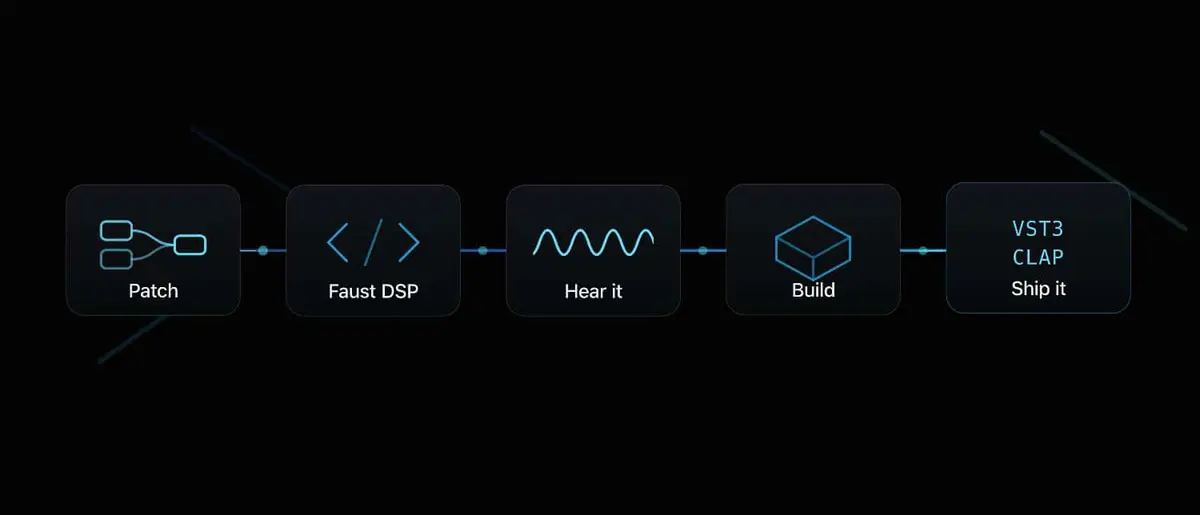
Nagi is a desktop application that allows users to design and build native audio plugins using visual tools and code without manual programming.
Features
Visual node editor
This canvas displays audio, MIDI, and parameter ports alongside ready-made nodes for oscillators, filters, and various effects. Users can construct signal chains visually before switching to code if needed.
Faust DSP editor
The integrated editor supports the full Faust standard library with syntax highlighting and inline diagnostics. It allows for detailed digital signal processing control beyond the visual graph.
Interface designer
A built-in tool creates plugin interfaces using knobs, sliders, buttons, meters, and spectrum displays. Each widget offers controls for range, skew, and response curves.
AI assistant
A local assistant generates Faust DSP code or GUI layouts from natural-language requests. The generated material can be replaced or added to an existing project.
Audio preview
An integrated feature lets users hear a patch before compiling it. This ensures the sound is correct before the final plugin is built.
Core workflow
Nagi operates as a single desktop environment where visual design and code editing coexist. The visual node editor handles the initial construction of signal chains, offering ports for audio, MIDI, and parameters on one canvas. Users can select from a library of pre-built nodes that cover oscillators, filters, dynamics, and spatial effects like reverb and chorus. When a specific DSP requirement exceeds the visual tools, the application switches to a Faust code editor. This editor includes syntax highlighting and inline diagnostics to help refine the digital signal processing logic.
The interface design phase uses a dedicated GUI designer within the same application. This tool provides widgets such as knobs, sliders, buttons, and meters, along with more complex elements like envelope displays and preset browsers. Each widget can be customized with specific range, skew, and response-curve settings to match the plugin's behavior. An integrated audio preview function allows the designer to listen to the patch in real-time before the final compilation step, ensuring the audio output matches the intended design.
Platform and output
Nagi generates native VST3 and CLAP plugin formats, supporting both audio effects and MIDI instruments. The application runs on Windows, macOS, and Linux, with macOS binaries built for both Intel and Apple Silicon architectures. Project files are stored locally on the user's machine, and the core functions of patching and building plugins do not require a user account. The software is currently in public beta, with the core application available for free download. A Nagi Pro evaluation license is listed at $0 during the beta phase and supports three machines, while final pricing for the pro tier is yet to be announced.
Key facts
- VST3, CLAP
- Windows, macOS, Linux
- Public beta
- Free core, $0 Pro eval